Fifteen pipelines and three hundred jobs on one screen, and you can still find the one that failed in a single click. Semaphore’s Workflow Page has been rebuilt for the size of workflows teams are running today, especially as AI-assisted development keeps pushing pipeline complexity up.
What Shipped
The new Workflow Page is in production now with limited availability. Here’s what it brings.
See every pipeline at once
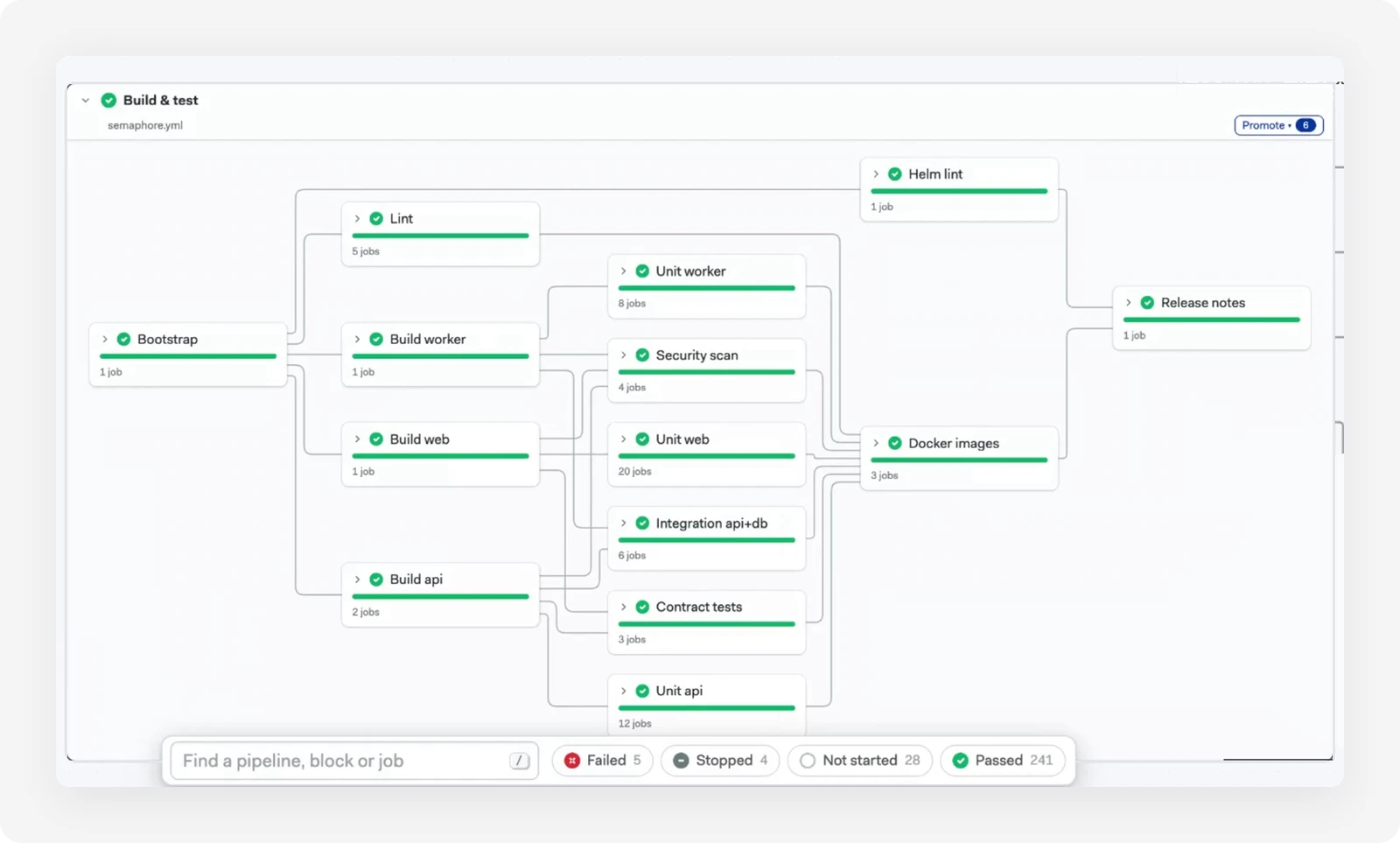
When you open a workflow, the main pipeline opens expanded, showing all of its blocks and job dependencies. All of the workflow’s pipelines are displayed together, so you can see what triggered what and how pipelines depend on each other.
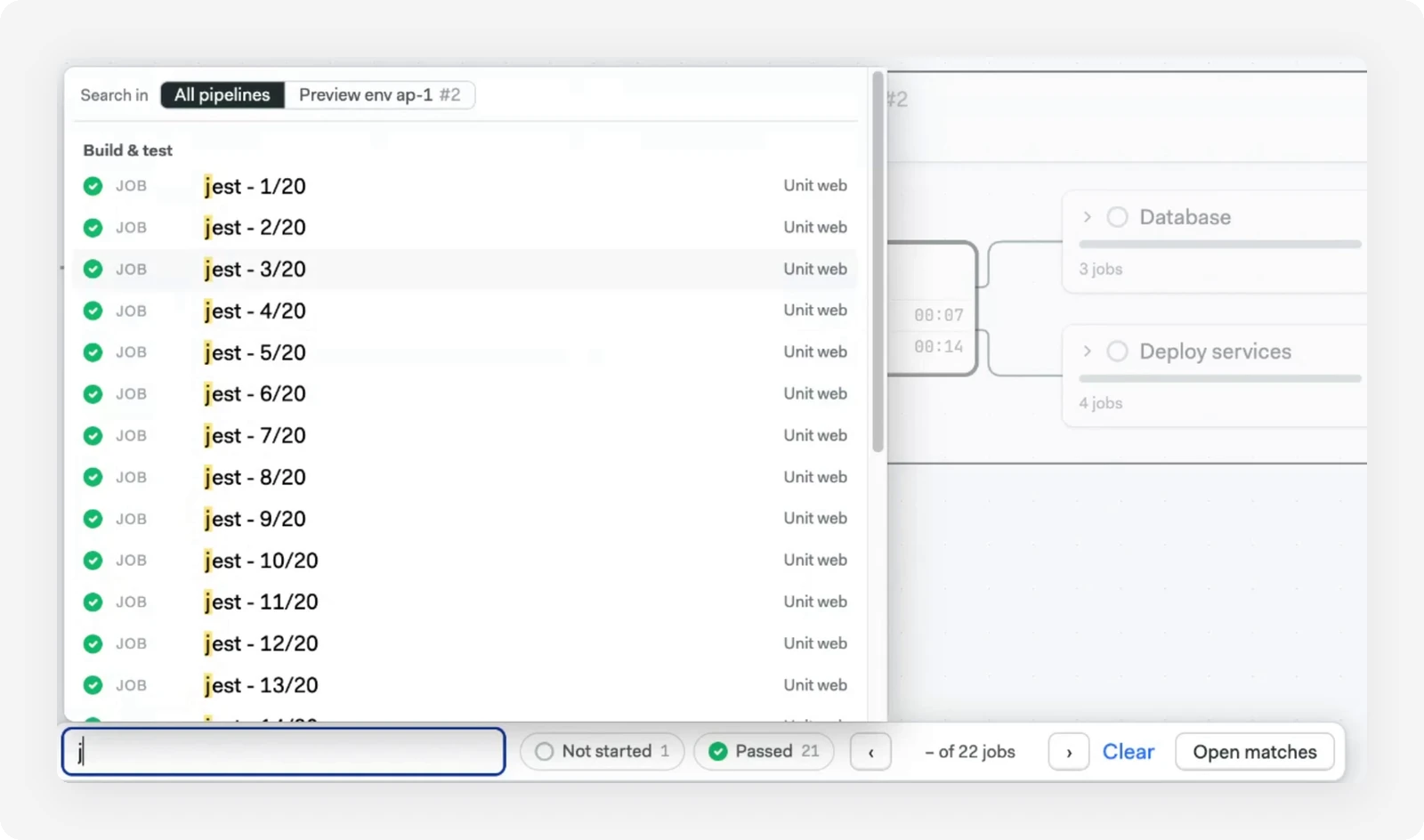
Search jobs, blocks, and pipelines
Press / to jump to the search bar. Search looks across jobs, blocks, and pipelines, including items nested deep in the workflow, and highlights every match. Selecting a pipeline from the results focuses on it.
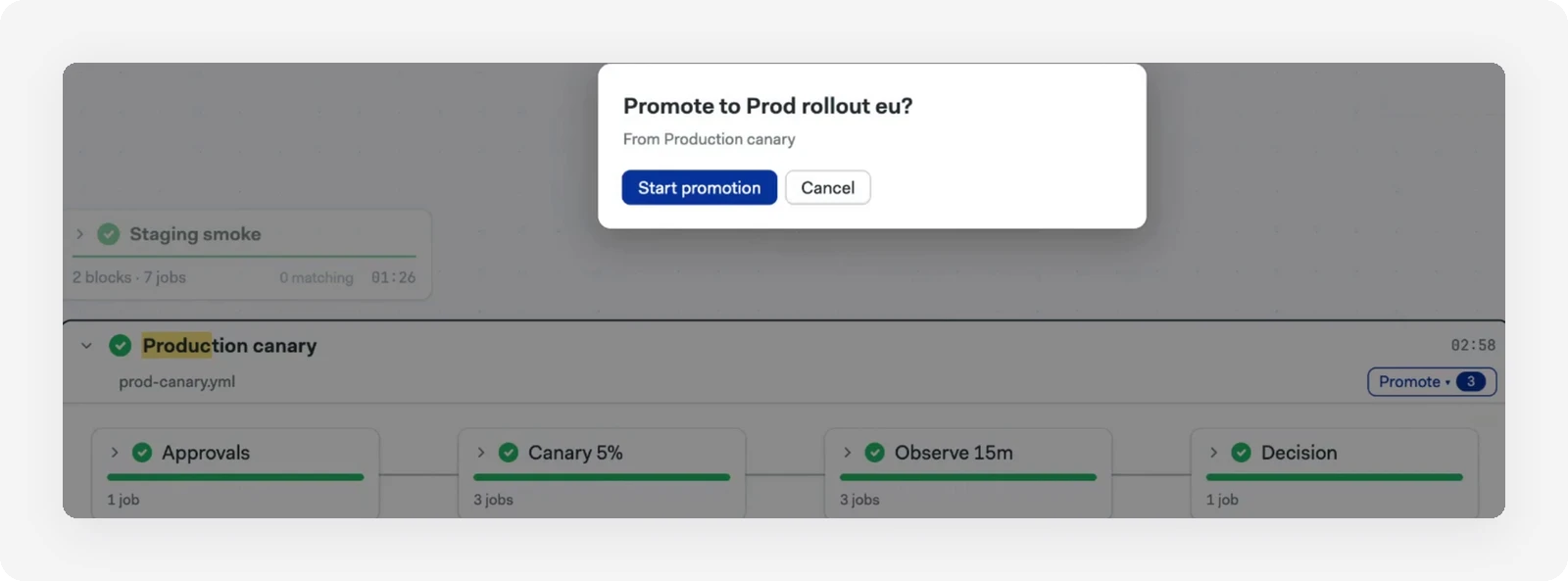
Promotions in a pop-up, with a record of who promoted
A new Promote button lists every promotion available for a pipeline, and you can filter the list. Promotions now open in a pop-up window, which gives you more oversight of what will run, especially for parameterized promotions. Once started, the new pipeline appears right away. Every promotion triggered manually (not auto-promoted) is tagged with the user who promoted it, directly on the Workflow Page.
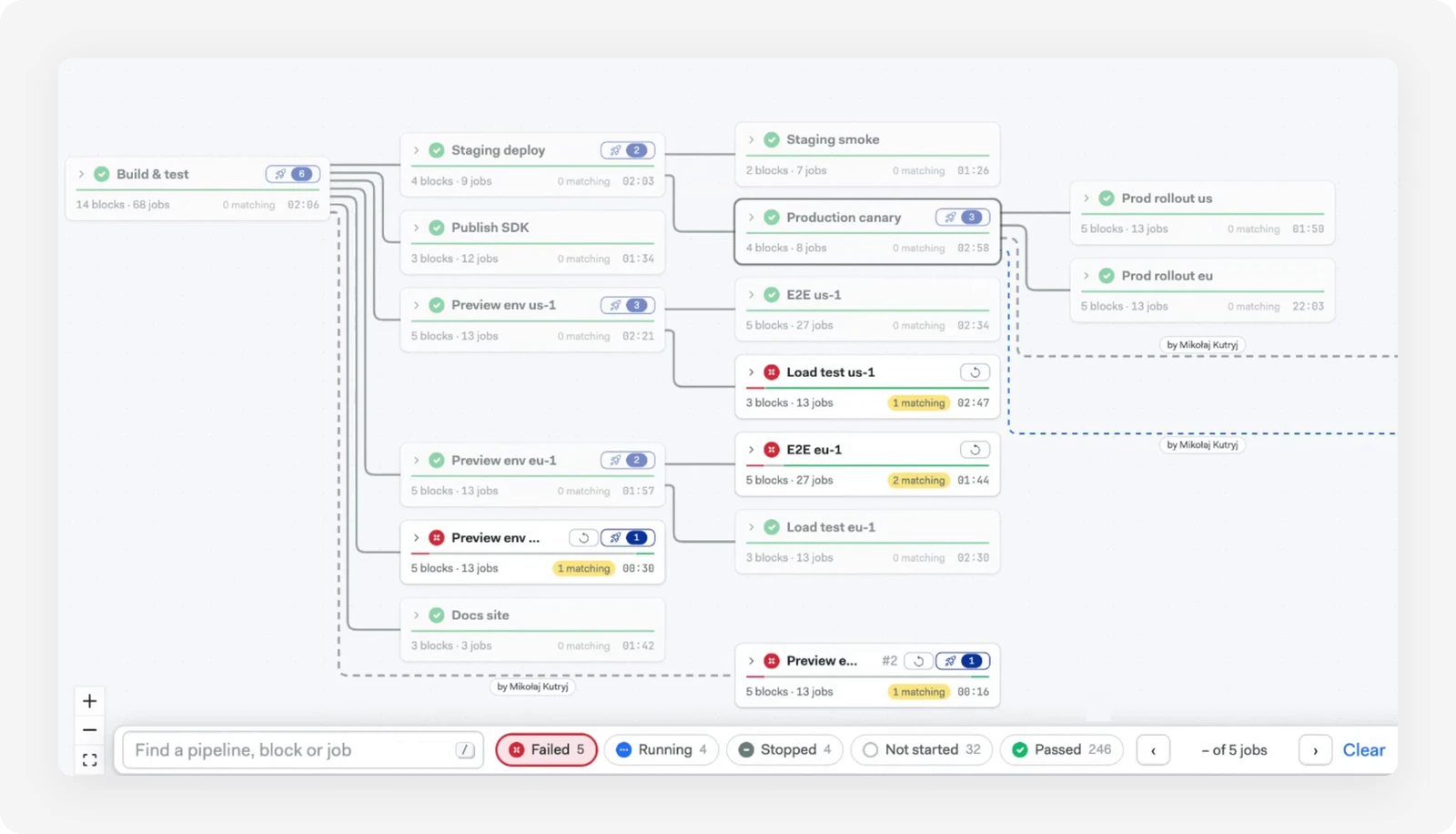
Navigation controls and a mini map
You can fit the whole workflow to one page, expand every pipeline for a full overview, or collapse them to see only what’s running. A mini map helps you move around large workflows, and it uses Semaphore’s color codes to highlight what is running, failed, stopped, or passed.
Filter jobs by state
Filter jobs by their state to cut through the noise. Click the failed filter, for example, and every failed job in the workflow is highlighted. With hundreds of jobs, this makes it much easier to see what’s failing, passing, and still running.
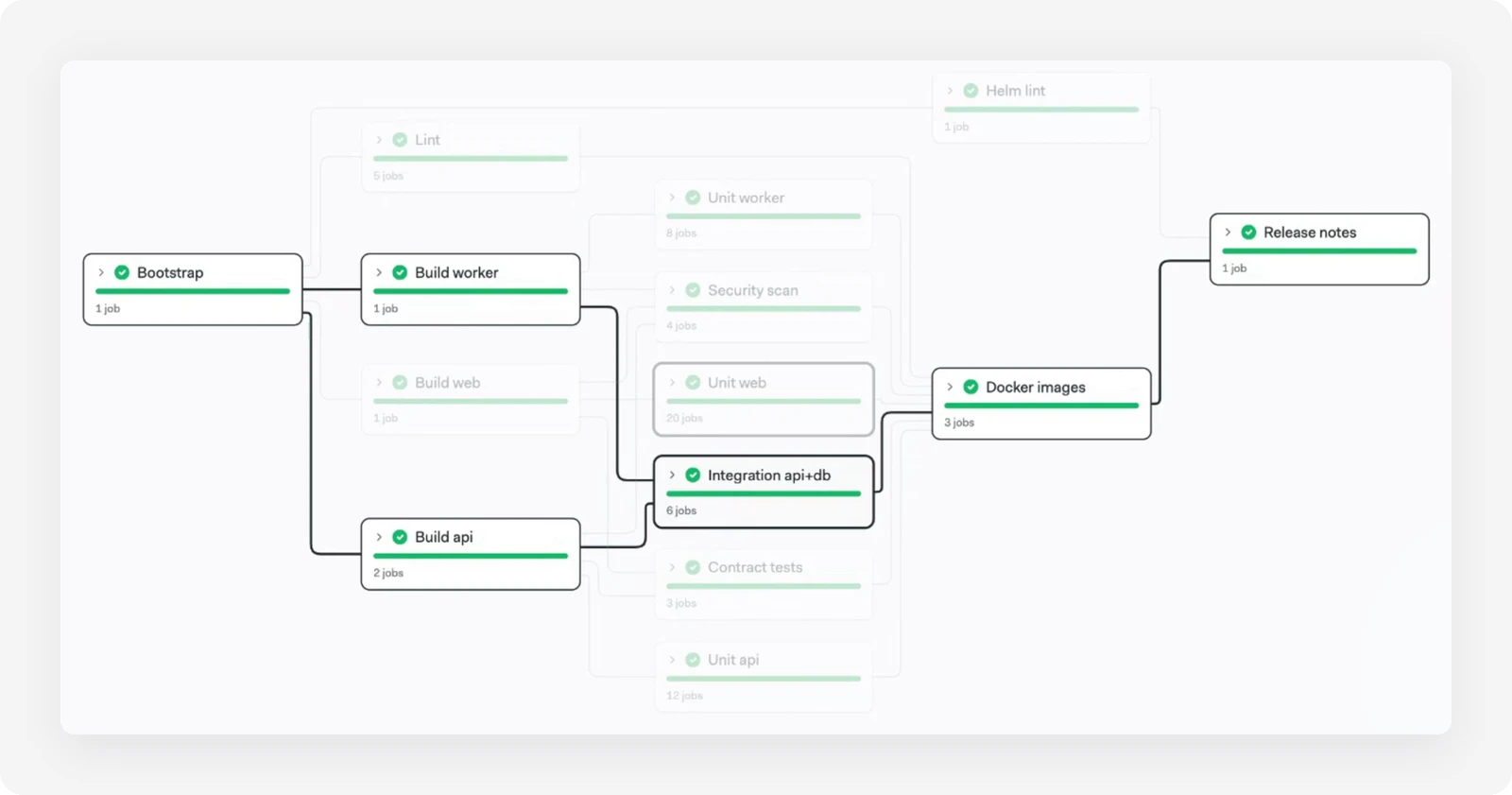
Upstream and downstream highlighting
Blocks now highlight their upstream and downstream dependencies, so you can see the dependency chain within a pipeline at a glance.
Quicker rerun and stop actions
A new button reruns failed jobs in a pipeline, starting as soon as you click it. Stop buttons for pipelines appear in both the expanded and collapsed headers.
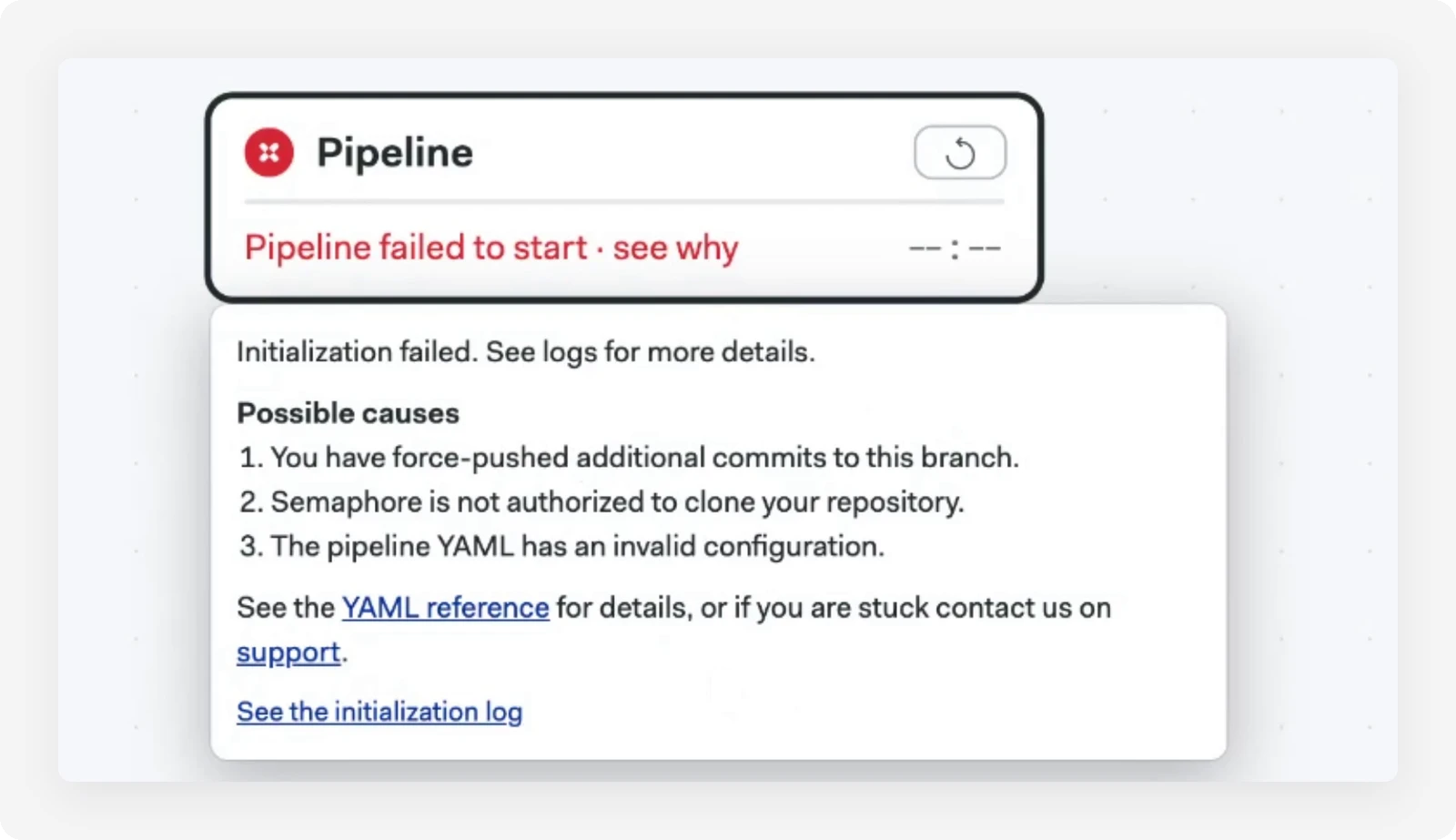
Clearer errors when a pipeline doesn’t start
If a pipeline fails to start for any reason, the Workflow Page now says so. Click through to see all the information available at that point, along with the log from the initialization job. For regular pipelines, initialization jobs are shown as a separate link so you can open their logs.
The new Workflow Page works just as well for simple workflows as it does for complex ones.
What’s Coming
The team is still investigating how best to display after pipelines. They are a distinct type of work in a workflow: they always run and cannot trigger promotions or spawn new pipelines. For now, they are displayed within the pipeline that ran them, so the two stay close together.
Availability
The new Workflow Page is in limited availability while the team finishes testing with some customers. If you’d like to try it, reach out to Semaphore support and we’ll turn it on for you. We’d love your feedback. General availability is expected in the next couple of weeks.
Want to discuss this article? Join our Discord.